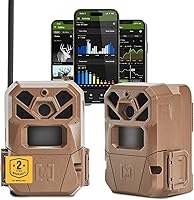
Cellular Trail Cameras: Plans, Carriers and What to Buy
Choose a cellular trail camera after checking coverage at the camera site, plan limits and power needs. Then match its carrier options, upload features and number of cameras to how you scout.
On this page (9 sections)
- How does a cellular trail camera work?
- What should you compare in a cellular trail camera plan?
- Which cellular carrier should your camera use?
- How do power and storage affect your choice?
- Which cellular trail camera fits your setup?
- How do you set up a cellular trail camera?
- How can you keep a cellular camera working in the field?
- What common cellular trail camera mistakes should you avoid?
- Is a cellular trail camera worth buying?
A cellular trail camera sends images over a mobile network, which lets you check activity without visiting the camera each time. Choose one by checking service at the exact site, comparing plan limits, and deciding how often you need remote updates.
Signal, power and upload needs vary from one property to another. A camera that works well at an open field edge may struggle in a low, wooded spot, and a busy location can use an allowance faster than a quiet trail.
For a broader look at camera features, start with our plain guide to game cameras. If you’re weighing the recurring plan against fewer trips to the site, read whether cellular trail cameras are worth the cost.
How does a cellular trail camera work?
A cellular trail camera records activity locally and sends selected images through a mobile network. The camera detects movement, captures a photo or video, and reports it to an app or account when it can connect.
You usually activate the camera through a brand app and select a plan. Some models offer a limited free photo allowance, while remote video, on-demand requests or higher upload volumes may need a different plan.
Cellular service does not mean constant live viewing. A camera may report on a schedule, after activity, or when you request an image, depending on the model and its settings.
Signal, plan terms and battery level can affect whether an upload reaches you promptly.
Cellular is useful when the camera is far from home or you want to avoid frequent visits. If you’re comparing phone access with local wireless options, see our guide to trail cameras that connect to a phone.
What should you compare in a cellular trail camera plan?
Compare the photo allowance, video rules and renewal terms before activation. A small allowance may cover a quiet crossing, while a camera near a feeder or several active trails can send many more images.
| Plan detail | Why it matters |
|---|---|
| Included photos or data | Sets how much activity you can receive before you need a different plan |
| Video access | Video files may use more data or require a plan with video support |
| On-demand requests | Check whether requested photos and clips count toward the allowance |
| Renewal and cancellation | Know when billing renews and how to stop a plan |
| Camera count | See whether one account and plan can manage more than one camera |
| Storage period | Confirm how long images remain available in the app or cloud |
Plan names and terms can change. Check the current options in the camera maker’s app before you activate, and don’t assume a free photo plan includes video, unlimited uploads or on-demand requests.
Estimate the camera’s activity before picking an allowance. A quiet trail may need fewer uploads than a busy food source, and video requests can change how quickly you use the plan.
Which cellular carrier should your camera use?
Choose a camera that supports a network with dependable service at the mounting location. A coverage map is a useful first check, but terrain, vegetation and the camera’s position can change reception.
Some cameras use a SIM tied to one network. Others can choose between multiple networks or connect to a stronger available signal, but carrier selection only helps if a supported network reaches the area.
Check the maker’s coverage tool and ask local hunters or land managers which networks work nearby. If practical, check reception at the planned tree with a phone on a supported carrier, then confirm the camera itself reports after setup.
Phone signal bars are only a rough guide. The camera may sit lower than your phone or deeper in cover, and it may use different network bands.
Leave enough time to confirm a successful report before relying on remote alerts.
For a model comparison, see our guide to Stealth Cam vs Moultrie cellular cameras. If the specific network options matter, compare them with the carriers that work on your property.
How do power and storage affect your choice?
Choose a power setup based on how often you can visit and how much activity the camera will capture. Frequent triggers, uploads and video requests can use more power than a quiet monitoring location.
Standard disposable batteries are easy to replace, while compatible rechargeable packs or solar options can reduce visits. Check whether a power accessory is included or sold separately, and make sure the camera supports the option you plan to use.
A memory card can preserve local images when a signal is weak, but card requirements differ. Some models require a separate card, and you should check how the camera handles files it cannot upload.
For a deeper comparison of power options, use our trail camera battery guide. If a solar setup is your priority, see solar trail cameras.
Which cellular trail camera fits your setup?
The right camera depends on how many locations you need to cover, what power access you have and which network options work nearby. These four picks suit different setups, so start with the feature that solves your biggest field problem.
Moultrie Edge 3 Cellular Trail Camera 2-Pack
The Moultrie Edge 3 two-pack suits buyers who want two cameras and remote scouting tools in one system. Moultrie says the cameras automatically connect across four major U.S. networks and offer Live Aim, GPS and app controls.
The cameras capture 40MP photos and 1080p video, and Moultrie includes AI buck detection and alerts. Those features suit hunters who want buck-focused notifications and a way to check camera framing remotely.
Compatible rechargeable battery packs and solar panels are available as power options. The app can also manage compatible Moultrie feeders, which makes this pair a better fit for buyers already using that setup.
Skip this pair if you only need one camera or want the simplest possible system. Its extra scouting and feeder tools matter most when you’ll use them across multiple locations or with compatible equipment.
SPYPOINT Flex-M Twin Cellular Trail Cameras
The SPYPOINT Flex-M Twin suits buyers who need two cameras with cross-carrier connectivity and a free photo plan. Dual-SIM technology is designed to connect to major carriers, while GPS location and remote app management help you manage cameras from a distance.
The cameras send photos and video through the SPYPOINT app. The LIT-22 rechargeable battery pack is optional, and microSD cards are sold separately.
Choose this pair to compare activity at two trails or monitor separate parts of a property. Skip it if you need built-in solar power or want to avoid buying memory cards and power accessories separately.
SPYPOINT Flex-S Dark Solar Cellular Camera
The Flex-S Dark is a strong fit for a remote location where solar power and no-glow night vision are priorities. Its built-in solar panel and internal battery reduce the need for frequent battery changes, while the no-glow LEDs suit locations where visible flash is a concern.
SPYPOINT includes a free allowance of 100 photos per month, with paid plans available for more. The app supports on-demand photo and video requests, and the brand describes live video streaming; those remote features still depend on usable cellular service and plan terms.
A rechargeable battery pack is optional, and a microSD card is sold separately. Skip this camera if the site is shaded much of the day or if you need a two-camera bundle.
Stealth Cam Fusion Max Cellular Trail Camera
The Stealth Cam Fusion Max two-pack suits buyers whose property has useful AT&T or Verizon coverage and who want to monitor two locations. Its preinstalled SIM cards can select between those networks, and the Command Pro app provides remote image access and camera settings.
Each camera uses 16 AAA batteries, which aren’t included. Stealth Cam says the cameras also support rechargeable battery cartridges and solar panels sold separately.
The camera’s 80 ft detection and infrared flash range can suit a broader view across a trail or opening. Skip this pair if neither supported network reaches your site or if you want a built-in solar panel.
How do you set up a cellular trail camera?
Set up the camera before taking it to a hard-to-reach location, then confirm it reports successfully. Follow the instructions for your model, since app activation, memory cards and first-time updates differ.
- Create or sign in to the camera brand’s app account.
- Add the camera in the app and choose an available plan.
- Install the required batteries or charge the supported power source.
- Insert and format a compatible memory card if the camera requires one.
- Allow time for activation, a first report or a firmware update.
- Send a test image and confirm it appears in the app.
A successful pairing screen doesn’t always mean the camera has sent an image. Check the camera’s status and wait for the test photo before leaving it in the field.
Once it reports, mount it with a clear view of the travel route and avoid pointing it at moving branches or a busy background. Our guides explain where to place trail cameras and how to secure a trail camera from theft.
How can you keep a cellular camera working in the field?
Keep the camera’s power, view and connection in mind each time you make a site visit. A brief check can catch a blocked lens, shifted camera or low battery before it costs you useful scouting time.
Clear grass, leaves and small branches from the detection zone. If the camera is aimed across a trail, position it so animals pass through the frame instead of moving directly toward or away from it.
Check the app’s battery and signal status, then confirm recent images are arriving. If reports stop, inspect power and card seating first, then check that the camera still has a clear view of the network and hasn’t shifted.
Keep the camera closed securely after maintenance and make sure the strap or mount remains firm. For locations where theft is a concern, use a lock or security box and follow our guide to securing a trail camera.
What common cellular trail camera mistakes should you avoid?
The most common mistake is buying for features before confirming coverage at the camera site. A camera with multiple carrier options still needs a usable supported network where it will be mounted.
Other problems often come from skipping a test image, underestimating activity or overlooking accessories. Check these before you leave the camera:
- Choosing from a broad coverage map alone: terrain and tree cover can affect the signal at the exact mounting spot.
- Assuming a free plan includes everything: confirm photo limits, video access, on-demand requests and renewal terms.
- Leaving without a successful test image: pairing and activation are only part of setup.
- Forgetting separate accessories: memory cards, rechargeable packs or solar panels may not be included.
- Setting uploads too aggressively: frequent activity and video requests can use plan allowance and battery faster.
- Mounting before checking the frame: use the app’s preview feature when available, then verify the view after installation.
A little setup time at home and a short check at the site can prevent repeated trips to troubleshoot a camera that never sent its first image.
Is a cellular trail camera worth buying?
A cellular trail camera is worth the added plan and setup when remote images save trips or help you act on fresh activity. If you can visit often and don’t need images delivered to your phone, a standard camera may be enough.
Choose cellular for remote properties, infrequent visits or several locations you want to monitor from one app. Pick a model with carrier options that match your site, then compare plan limits and power needs.
For a simpler decision, use this rule: choose the Moultrie Edge 3 pair for four-network selection and remote scouting tools, the SPYPOINT Flex-M Twin for two locations and a free photo plan, the Flex-S Dark for built-in solar and no-glow night vision, or the Stealth Cam Fusion Max pair where AT&T or Verizon works well.
If you can’t confirm cellular service, or don’t need remote updates, compare local wireless options in our Wi-Fi trail camera guide. Pick cellular when distance makes remote reporting useful, and choose a simpler camera when regular site visits work for you.
Frequently asked questions
Do cellular trail cameras need Wi-Fi?
No. Cellular trail cameras send images through a mobile network, so they don't need home Wi-Fi at the camera location.
You do need a compatible plan and usable cellular service where the camera sits, so check coverage at the exact site before relying on remote uploads.
Do cellular trail cameras work where there is no service?
A cellular camera can't send photos when it has no usable cellular connection. Some models may keep images on a memory card, but remote alerts and uploads depend on signal; check local storage and network requirements before placing a camera in a dead zone.
How much data does a cellular trail camera use?
Data use depends on how many photos or videos you send, their file size and whether you request images on demand. Check the plan's photo or data allowance, choose an upload schedule that fits the site, then review usage after the camera starts reporting.
Can one cellular trail camera use more than one carrier?
Some models use multiple networks or automatically connect to a stronger available carrier, while others depend on a specific network. Check which networks the camera supports and confirm local coverage before choosing a mounting spot.
Are cellular trail camera plans required?
A plan is usually needed to send images over cellular service, though some brands include a limited free photo plan. Compare the included allowance, paid options, renewal terms and video rules before buying, since plans differ by brand and model.